Power Automate · SharePoint · M365

Stop building
approvals from
scratch

Every organisation runs on decisions. Yet most teams still chase approvals through email threads, missed replies, and forgotten deadlines. There's a better way — and it deploys in under an hour.

Purchase Request — Q1 Equipment ● In progress
Requested by Jana Novák
Started 2026/02/28
Current step Line Manager
Due 2026/03/07
Team Lead review
Tomas Riha
Approved
2
Line Manager approval
Petra Svoboda · reminder sent
Pending
3
Finance sign-off
Finance group
Waiting
4
Director final approval
Jiří Zeman
Waiting
🏢Deployed in tens of organisations
Live in under 1 hour
🔒Runs in your tenant — nothing leaves your org
🛠2+ years of refinement
Free lifetime updates

Building it yourself
takes longer than you think

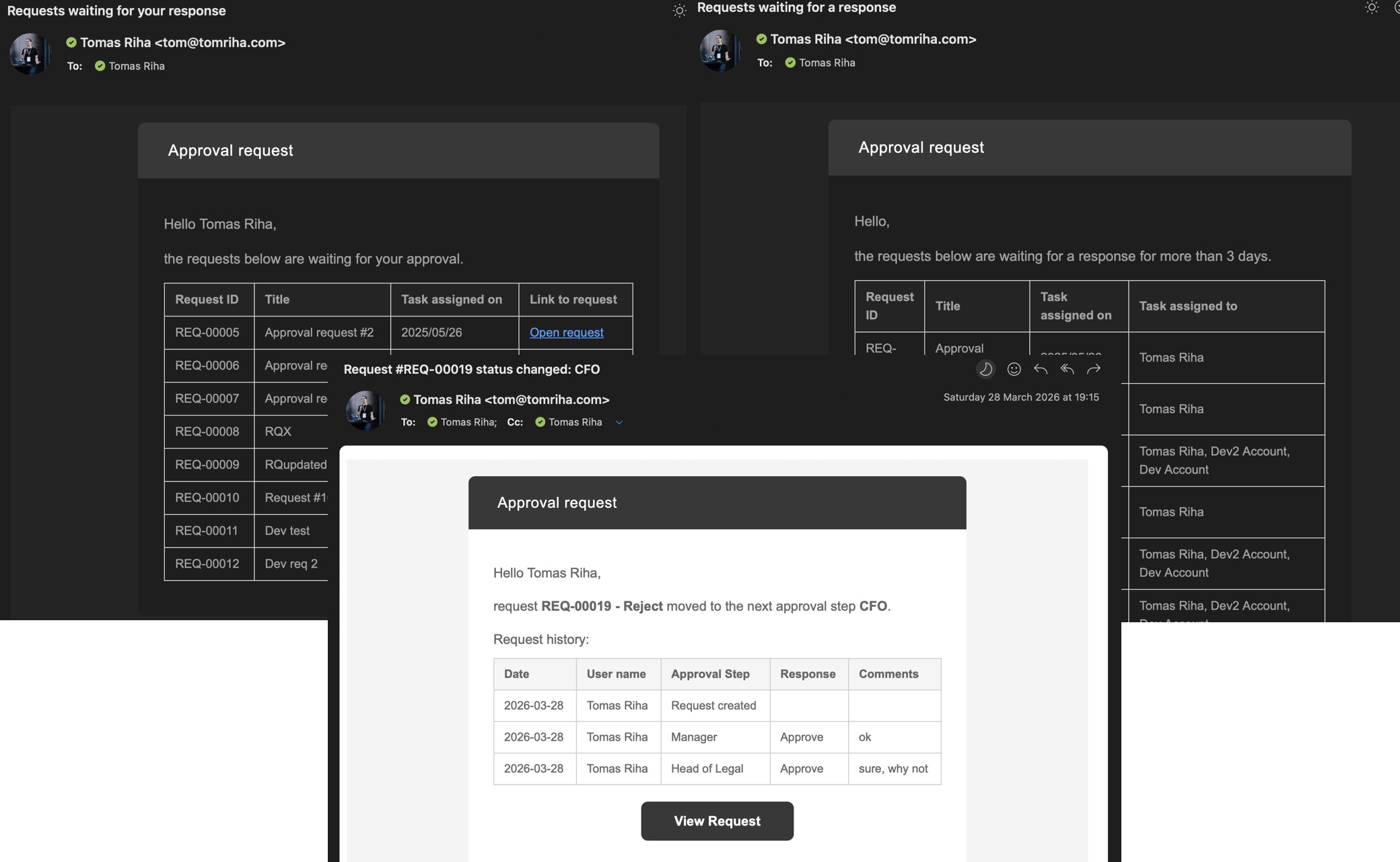
It starts simply enough — create a task, send an email, done. But then reality kicks in. Reminders. Audit logs. Error handling. Delegation. Each new requirement arrives after you've already built around the last one.

"Maybe exchanging emails isn't that bad after all…"

Deep down you know it would be better automated — consistent, documented, on time. The problem isn't the goal. It's the time and complexity of getting there.

  • ?What happens when a flow runs past 29 days?
  • ?Can someone edit the request mid-approval?
  • ?Is there an audit trail for compliance?
  • ?How do you know if the flow silently failed?
  • ?Can you restart from a specific step — not the beginning?
  • ?How do you change approvers without editing the flow?
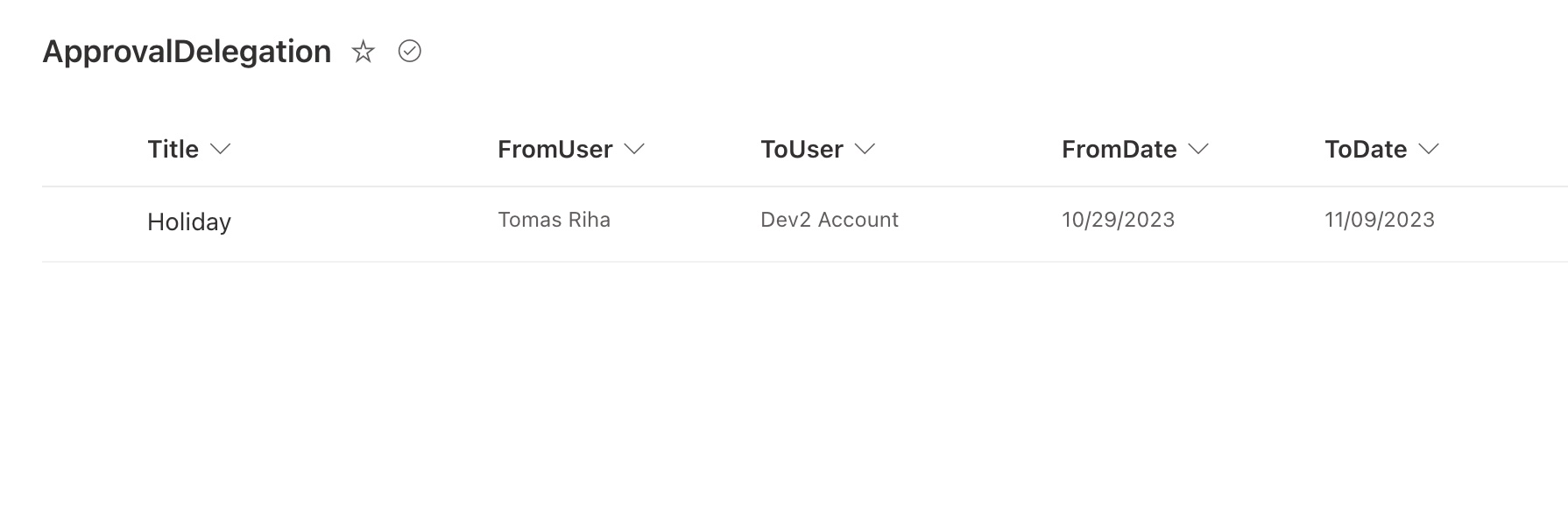
  • ?What if an approver goes on holiday?
  • The Approval Process Solution handles all of this.

Everything a production
approval process needs

Not a starting point. A complete, tested solution covering every scenario you'd eventually have to build yourself — in hours instead of weeks.

01

Flexible approver assignment

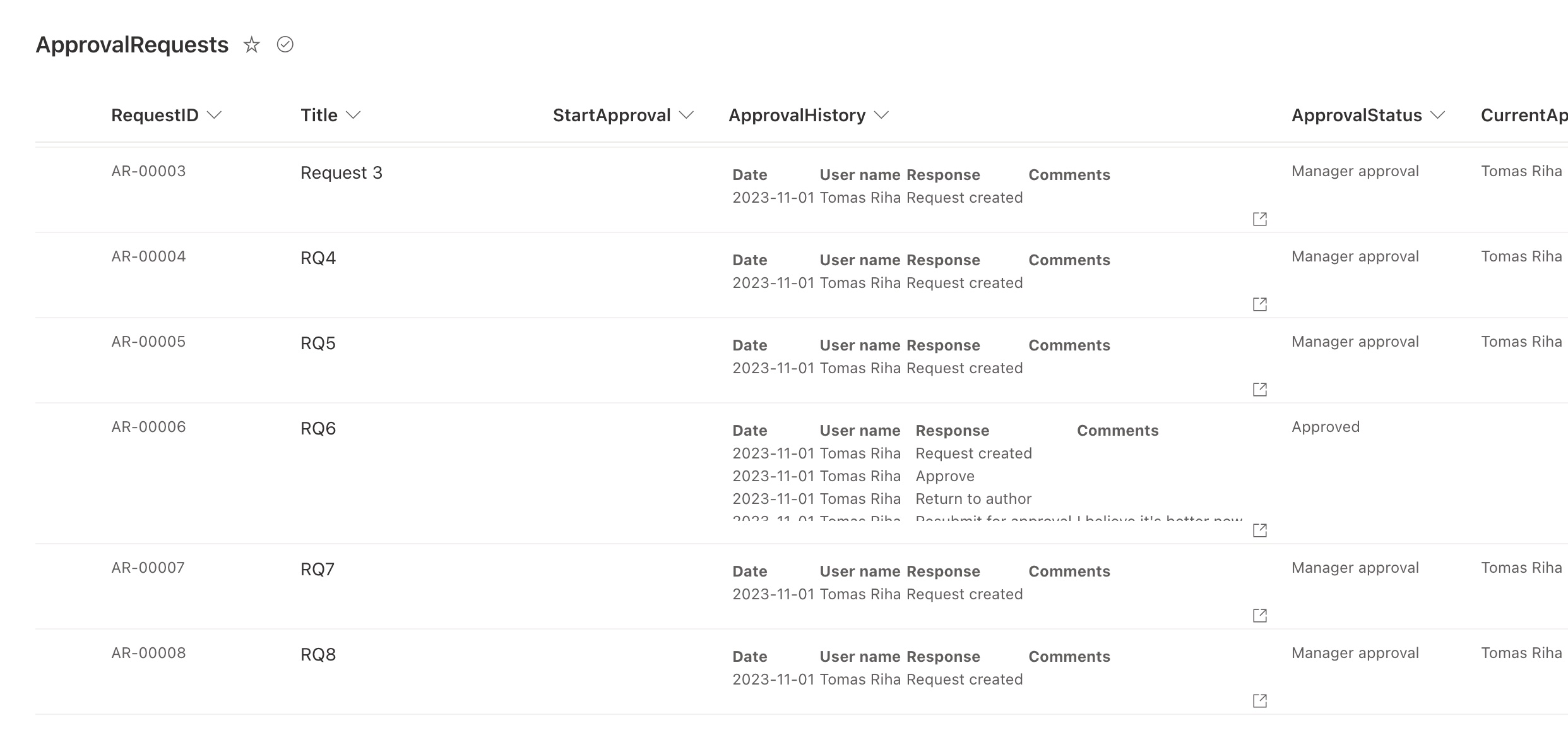
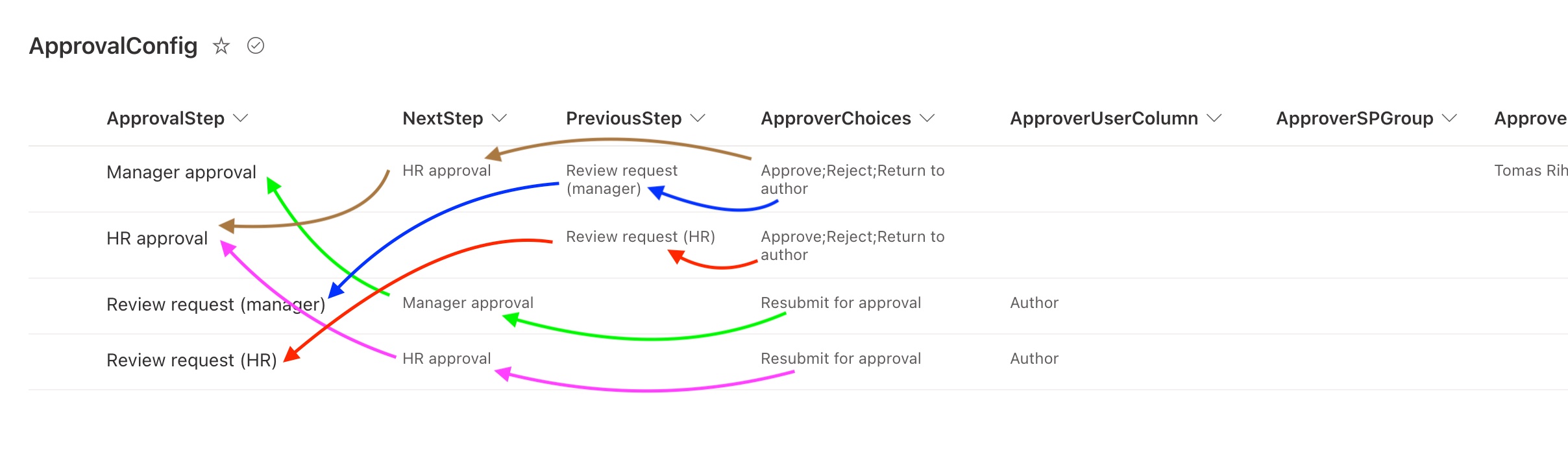
Assign tasks to a specific user, a user from a SharePoint column, or an entire M365 / SharePoint group. Configure as many sequential steps as your process requires.

02

State machine architecture

The flow tracks the current state of every request. If it fails, restart from the exact step it stopped at — no need to ask every approver to re-do their work.

03

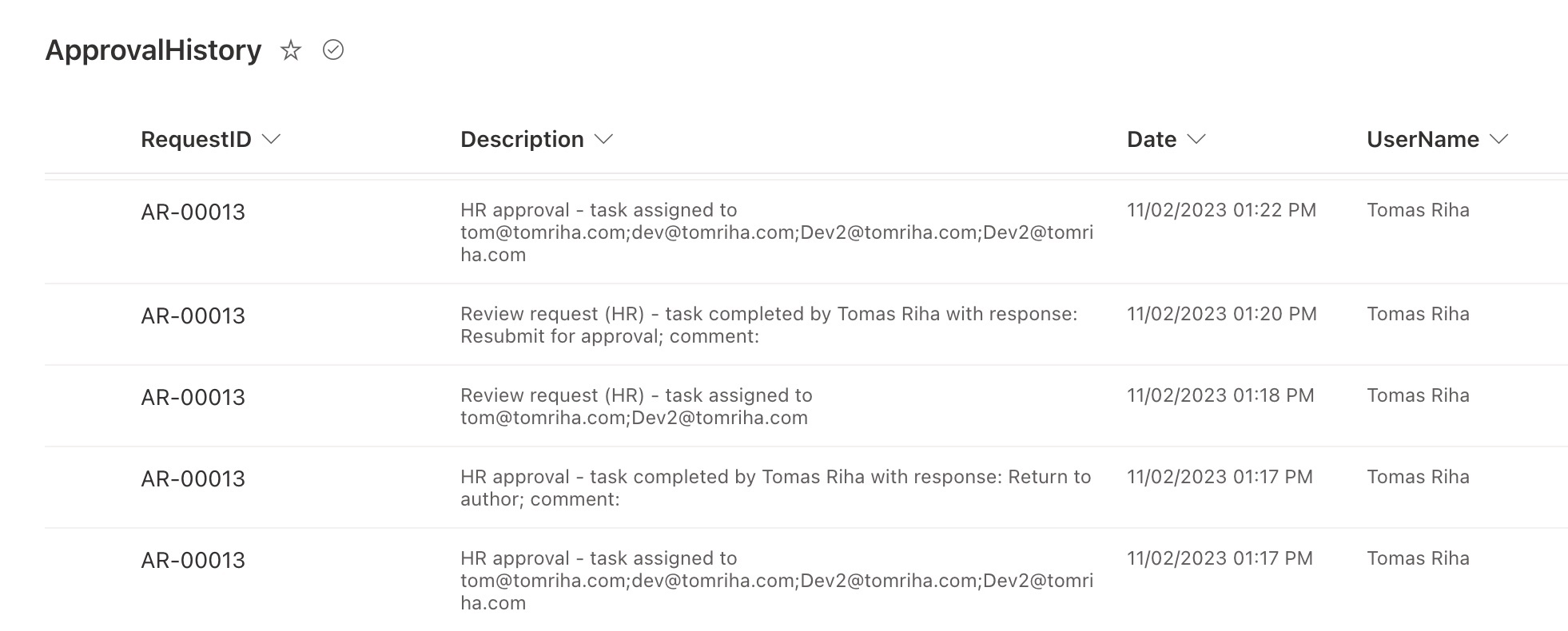
Full audit history

Every decision, every step, permanently logged in SharePoint — not just in the 30-day flow run history. Shareable with auditors or management at any time.

04

Reminders & delegation

Automatic reminders keep approvals from stalling. When someone is away, delegation routes their tasks to a colleague — no bottlenecks, no stopped processes.

05

No-code configuration

Approvers, steps, and responses are configured in SharePoint — not in the flow itself. Change your approval chain without touching a single Power Automate action.

06

Works on any SharePoint list

Deploy on a new list or attach to an existing one with a single click. Reuse the same process across multiple lists and request types across your organisation.

A proven solution,
not a prototype

Two years and hundreds of hours of building, testing, and refining across real client projects — packaged so you can skip straight to using it.

  • Complete Power Automate flow — fully tested, production-ready
  • SharePoint configuration lists — manage the process without editing flows
  • Setup guide — step-by-step PDF for import and configuration
  • Extension tips — practical adjustments to tailor the solution further
  • Well-documented flow — understand and maintain it independently
  • Free lifetime updates — all future fixes and improvements included
  • Only standard M365 licences required — no Dataverse, no extras
// Deployment process

From download
to live in under
an hour

  • 01Create a new flow with the correct trigger in Power Automate
  • 02Copy the JSON file content and paste it directly into the flow
  • 03Update connections and configure the single setup action
  • 04Done — start approving requests immediately

No Dataverse · No special roles · No IT ticket

One purchase.
Lifetime access.

Pick the licence that fits your use case. All paid licences include the full solution, documentation, and free updates forever.

Demo
Free
Try before you buy. Full-featured for evaluation — one step only.
Try Demo
  • Full-featured flow (1 step)
  • Setup guide & docs
  • Production use
  • Multi-list reuse
  • Client / team use
Not for production use
Pro
$79
For individuals automating internal processes in their organisation.
Buy Pro
  • Full-featured flow
  • Setup guide & docs
  • Production use
  • Multiple environments
  • Client / team use
Single use · 1 process
Consultant
$149
For consultants and agencies deploying for client organisations.
Buy Consultant
  • Full-featured flow
  • Setup guide & docs
  • Multiple environments
  • Unlimited client use
  • Team / multi-user access
Unlimited client projects

Need help with setup or custom adjustments? Book a consulting session →

Common questions,
straight answers

What types of processes can I automate?
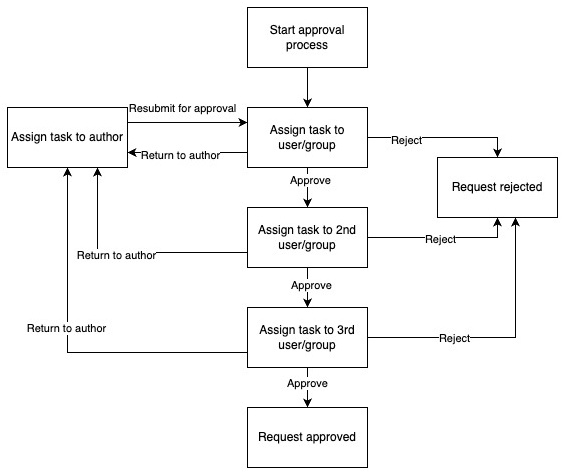
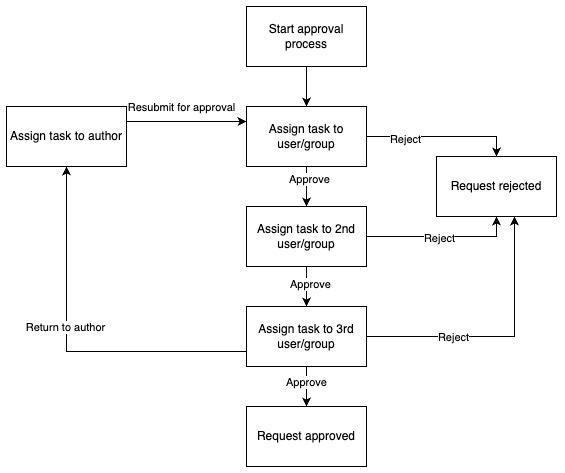
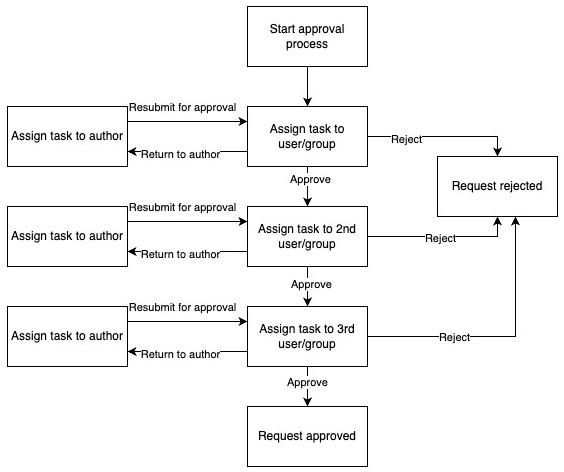
Simple one-step approve/reject flows, multi-step sequential processes, and loops where requests can be sent back for revision. Parallel approval steps require flow modifications.
Can I use this on an existing SharePoint list?
Yes. The solution includes a setup flow that automatically adds the necessary columns to any existing list with a single click.
What happens if the flow fails mid-process?
The flow is built as a state machine. It tracks current request status and can be restarted from the exact step it stopped at — nobody needs to re-approve completed steps.
Is there a time limit on the approval process?
There's a 29-day limit per individual task (standard Power Automate behaviour), but no limit on the overall process. If a task nears the limit, restart the flow and it creates the task again.
Does it run inside my organisation's tenant?
Completely. Once imported, the entire solution runs in your tenant using your own accounts. Nothing is sent outside your organisation.
Can I use it for document library approvals?
The current version is designed for SharePoint lists only. A dedicated document library version is on the roadmap.
Can I reuse the Consultant licence on client projects?
Yes — the Consultant licence is specifically designed for deploying the solution across multiple client organisations with no restriction on the number of projects.
What do I need to deploy it?
A free Power Automate licence and permissions on a SharePoint site. No Dataverse, no special environment roles, no IT department involvement required.

Add approvals in hours,
not weeks

Join tens of organisations that have already automated their approval processes with this solution. Try the demo free, or get the full solution and be live today.

// by Workappholics  ·  Power Automate · SharePoint · M365 Approvals